Cloudflare Email Workers
I have tried various todo / personal task management apps over the years, and I get all excited setting them up with categories and add-ons and integrations only to find that I don't even look at the app a month later. Blargh.
One of the methods that has stuck with me is emailing myself. It's not too surprising - an email inbox is pretty much a flexible todo list. So I wanted to try meeting myself where I'm at, by hooking into the email habit programmatically to build a personalized todo app.
Building a todo app is a fairly tedious crud exercise, but programmatic email access was new to me. For my domain, tmk.name, I use cloudflare to forward emails to my personal account. I was excited to discover that cloudflare supports connecting their worker product with an email trigger:
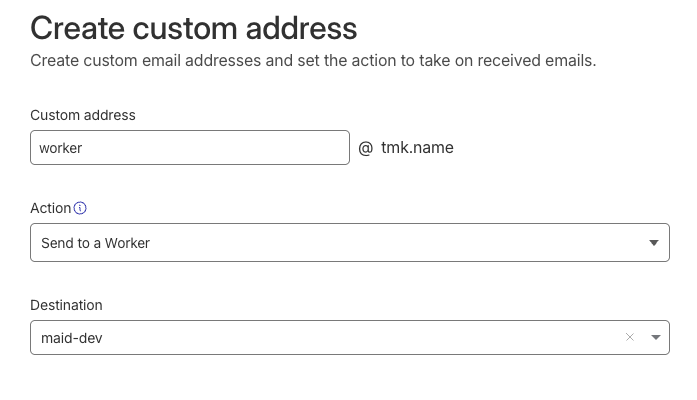
In my use case, I wanted to forward the email via webhook to my backend. Editing the worker code in the browser was suitable for such a small snippet of code:
export default {
  async email(message, env, ctx) {
    // message.raw is a ReadableStream, needs to be converted to a string
    // see https://developers.cloudflare.com/email-routing/email-workers/runtime-api/#forwardableemailmessage-definition
    const body = await new Response(message.raw).text();

    await fetch(env.WEBHOOK_URL, {
      method: "POST",
      headers: {
        "Content-Type": "application/json",
        "X-Webhook-Secret": env.WEBHOOK_SECRET
      },
      body: JSON.stringify({ from: message.from, to: message.to, raw: body})
    });
  }
}
The webhook url and secret are environment variables, configured in the worker settings. Cloudflare handily exposes the results of their security checks in the message.headers['authentication-results'], which makes verifying dkim and dmarc for the originating email easy 1.
Update (May 8)
Cloudflare stopped sending the authentication-results header, breaking this approach. Instead, parse the headers from the email.
Et voilà - free programmatic email access via webhooks in a few short steps.
-
In my application, I chose to forward the headers to my backend to keep the worker code as simple as possible. ↩